
A portal effect becomes convincing when a person crosses a doorway and appears to enter another visual world while their movement continues. The useful question is how to organize the footage: generate the whole illusion at once, or create two versions of one shot and combine them through a mask?
A recent Seedance 2.5 creator example describes the second approach. It separates the street footage, its restyled version, and the doorway composite. This article explains that structure and gives an original production brief. Seeora has not reproduced the example or measured its alignment; the brief is an experiment plan rather than a tested button-by-button tutorial.
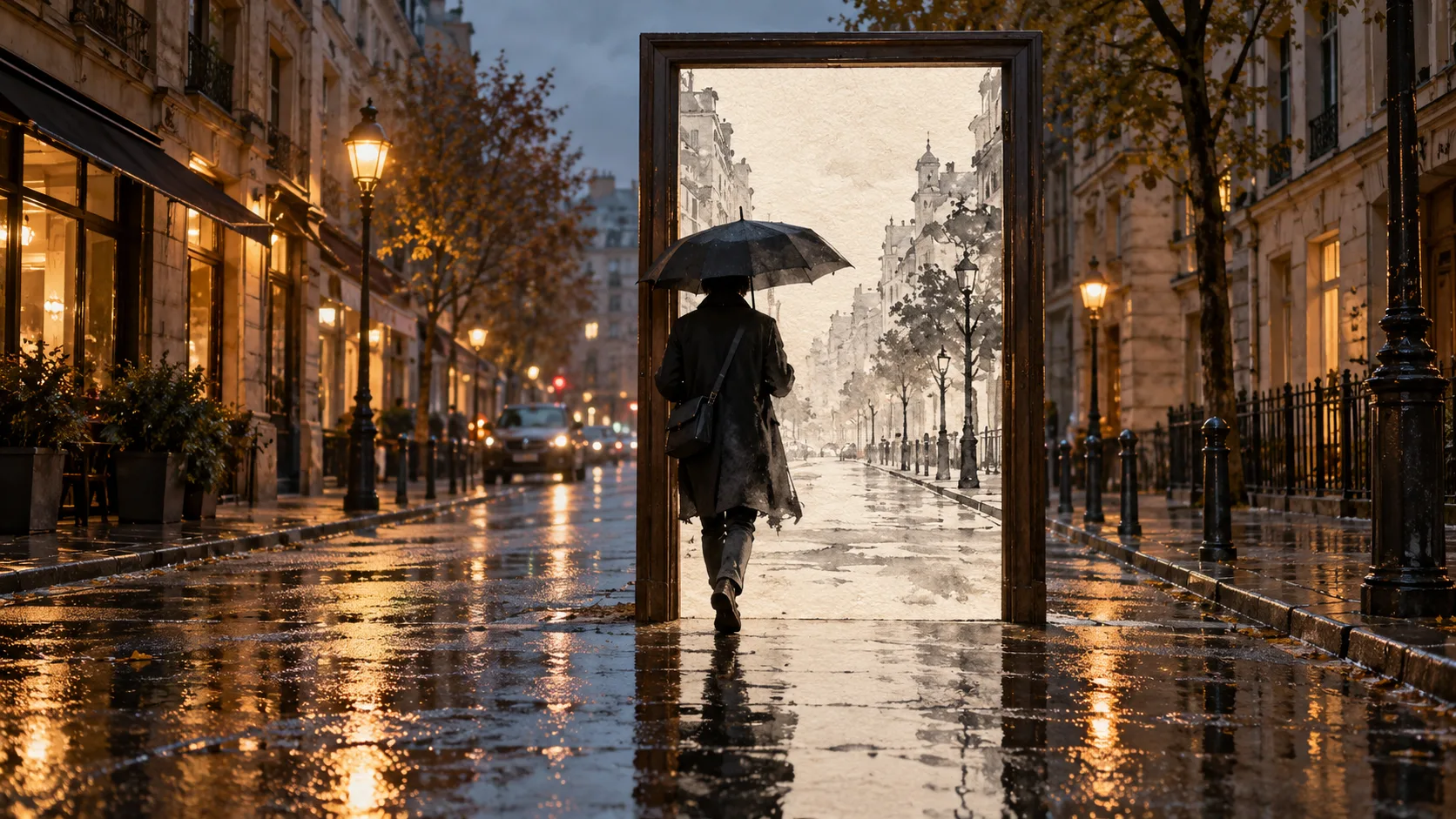
Generated concept illustration, not a screenshot, Seedance output, or verified before-and-after result.
What the creator actually described
On October 13, 2026, KanaWorks_AI described making realistic-looking Asakusa and Shinjuku street footage with Seedance 2.5 through CapCut Japan. The base compositions used a tripod-style fixed camera and people or vehicles crossing the frame.
The creator then used what the post calls Seedance 2.5 “video editing” to redraw the same footage: Asakusa became ink-wash or manga-like, while Shinjuku became holographic or wireframe-like. Finally, a doorway was composited at a fixed screen position, showing the transformed version inside the opening and the realistic version outside it. The post also describes an animated frame, ink spreading from the edges, a shadow, and wet-road reflections.
The author says the two versions matched frame by frame. That is a claim about this example, not a general guarantee that restyling preserves every trajectory. The post does not identify the compositing application's exact settings or publish a complete reference package. It also does not establish that every Seedance provider exposes the same video-editing controls.
Separate the three production jobs
The base clip supplies motion and camera placement. The restyled clip supplies the alternate world's appearance. The mask determines where each version is visible. Keeping these jobs separate makes a failed result easier to diagnose.
| Element | Responsibility | First review question |
|---|---|---|
| Base street clip | Movement, framing, timing | Is the crossing readable without effects? |
| Restyled version | Alternate materials and visual style | Do the person and street remain aligned? |
| Doorway mask | Reveal boundary between versions | Does the opening stay in the intended place? |
| Frame and finishing | Depth, contact, atmosphere | Does the doorway feel grounded in the scene? |
Two independently generated streets are a different experiment. Similar prompts can produce different walking speeds, building edges, or camera drift. Starting from one selected clip gives you a common reference, although the transformation still needs checking.
Start with a simple crossing
For a first attempt, plan one short locked-camera shot with one person walking across a clearly visible opening. Avoid combining a camera orbit, several overlapping pedestrians, moving door panels, and a complicated transformation before the basic crossing works.
Choose where the doorway will sit before selecting the footage. Its opening should intersect the movement you want to reveal. If the subject never crosses it, the alternate world reads as a picture on a wall rather than a passage. Leave room around the frame so its contact with the street remains visible.
Review the clean clip first. An extra limb or a pedestrian disappearing behind nothing is a base-footage problem. A glowing edge cannot reliably repair it. The Seedance prompt library can help organize the shot's action and camera description before you attempt the composite.
Restyle the selected footage and check alignment
Where your provider supports video editing or restyling, use the selected clip as the source for the alternate version. Specify the desired visual treatment separately from the motion you want retained. An ink-wash scene and a holographic wireframe scene can require different appearance descriptions; neither should be assumed to preserve movement automatically.
Compare the start, middle, and end, then inspect the crossing interval more closely. Look at the feet, silhouette, umbrella or bag, road markings, and building corners. A shifted figure can create a doubled outline at the doorway even when each version looks good alone. Matching file duration is necessary for a straightforward composite, but it does not prove the subjects move identically.
If the transformation changes the camera or action, decide whether to retry it, shorten the usable interval, or revise the concept. Do not treat a mismatch as evidence that you merely need a more elaborate frame.
Compose the opening before adding decoration
In a compositing editor, use a mask for the doorway's opening to reveal the alternate clip over the base. Blender's masking introduction explains masks for isolating footage regions and using them in compositing. That is an editor capability, not proof that Seedance returns editable layers.
Begin with a plain boundary. Once the crossing reads clearly, add the visible door frame and consider its shadow or reflection. If something should pass in front of the frame, it may need its own foreground isolation; a rectangular reveal alone does not establish every depth relationship. Keep these decisions consistent with the chosen viewpoint.
A large feathered edge can soften a small seam, but it can also make the transformation look like a dissolve. Decide whether the creative goal is an abrupt material change at the threshold or a gradual spill of ink. Add animated ink or light only after that basic rule is readable.
An original brief for a small experiment
This brief is editorial guidance for an editor or an appropriately equipped production tool. It does not imply a particular app supports every requested operation.
Select one short, fixed-camera street clip with a single pedestrian crossing the middle of the frame. Preserve this source. Create an alternate ink-wash treatment from the same clip where the available video-editing workflow supports it. Compare the pedestrian's trajectory and the street geometry before compositing. Place one stationary doorway over the crossing path. Reveal the ink-wash version only inside the opening and retain the realistic version outside. First show a plain mask preview. Then add the visible frame and restrained contact details. Mark any drift, doubled silhouettes, or incorrect overlaps for review. Export a separate version and record which transformations and compositing edits were applied.What to inspect before exporting
Watch the complete shot at normal speed, then review the threshold crossing. Check whether the person remains one person, whether their feet follow a continuous path, and whether the frame's foreground relationships make sense. Compare the doorway's location across the shot and look for abrupt changes in the restyled street.
Keep the base, transformed clip, mask, and final export separately so you can revise one stage. If you change timing or audio, review synchronization again. For broader effects planning, see adding VFX after Seedance generation. The next useful result is one convincing crossing with documented limitations, before expanding to moving cameras or several portals.