
What is Seedream 5.0?
Seedream 5.0 is a multimodal AI image model for generating new visuals from text and editing existing images with natural-language instructions and visual references.
Turn natural-language ideas and reference images into polished portraits, product visuals, illustrations, and information-rich designs with strong prompt understanding and flexible creative control.
Example results — your generated image will appear here
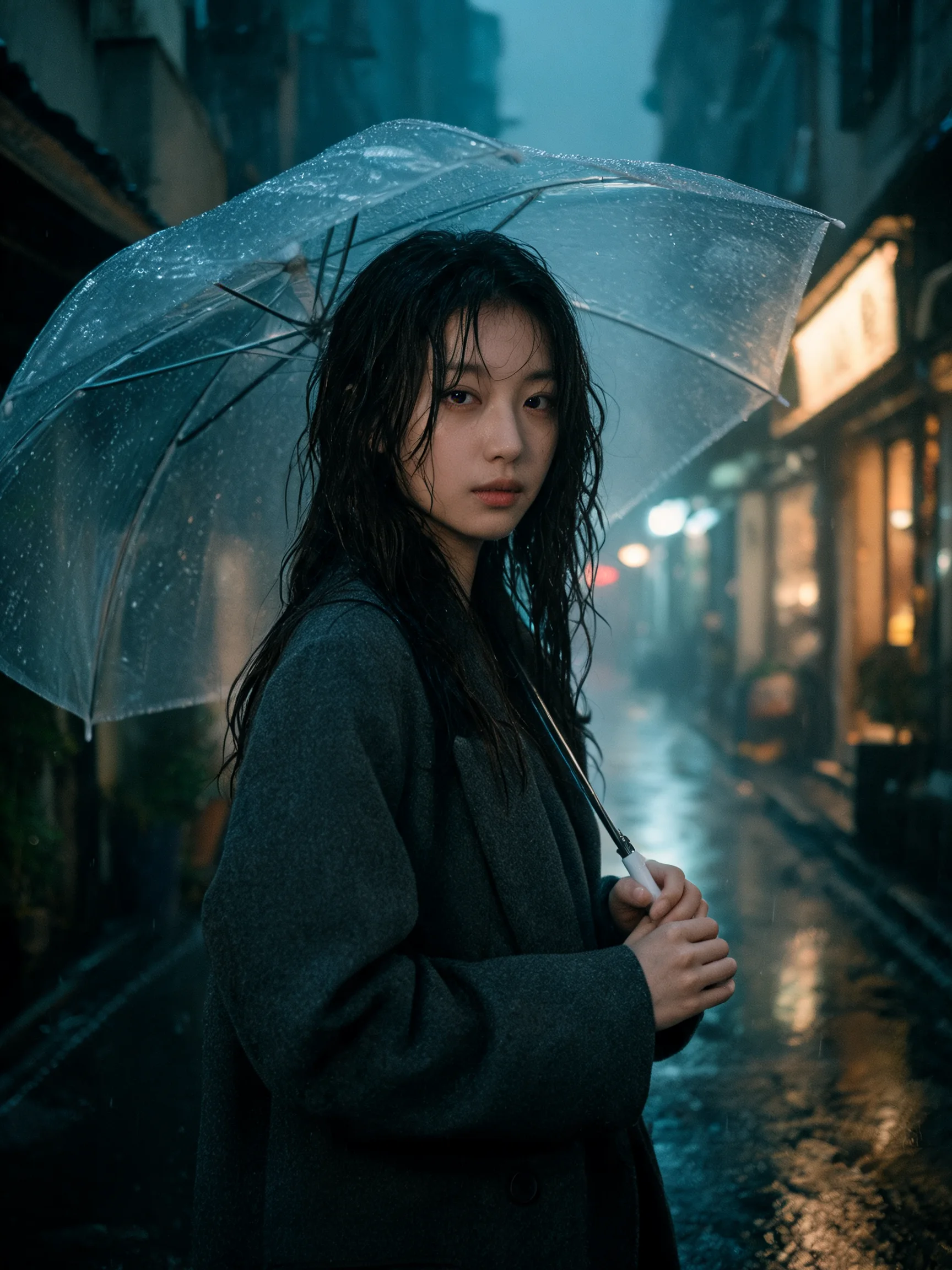
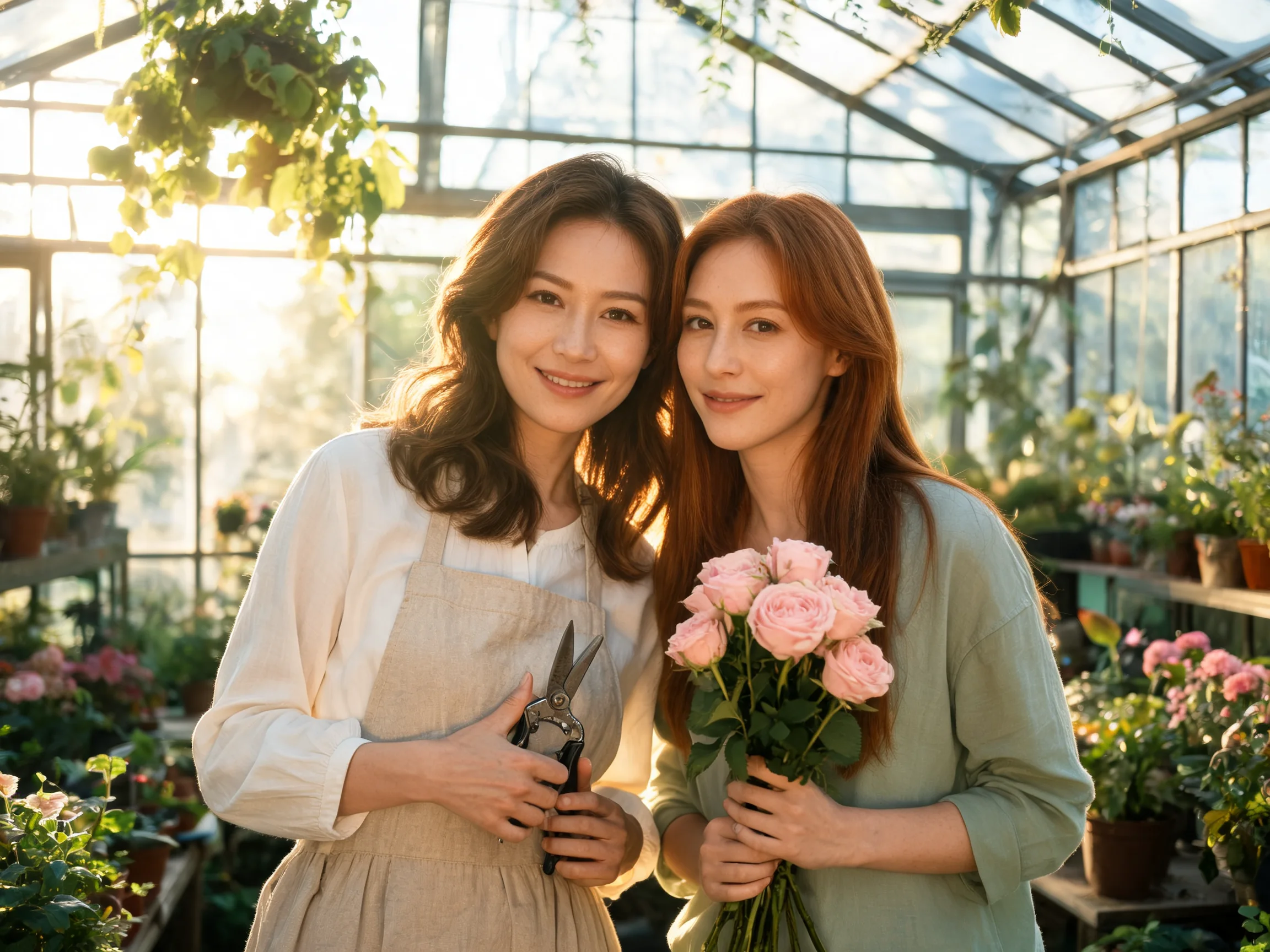
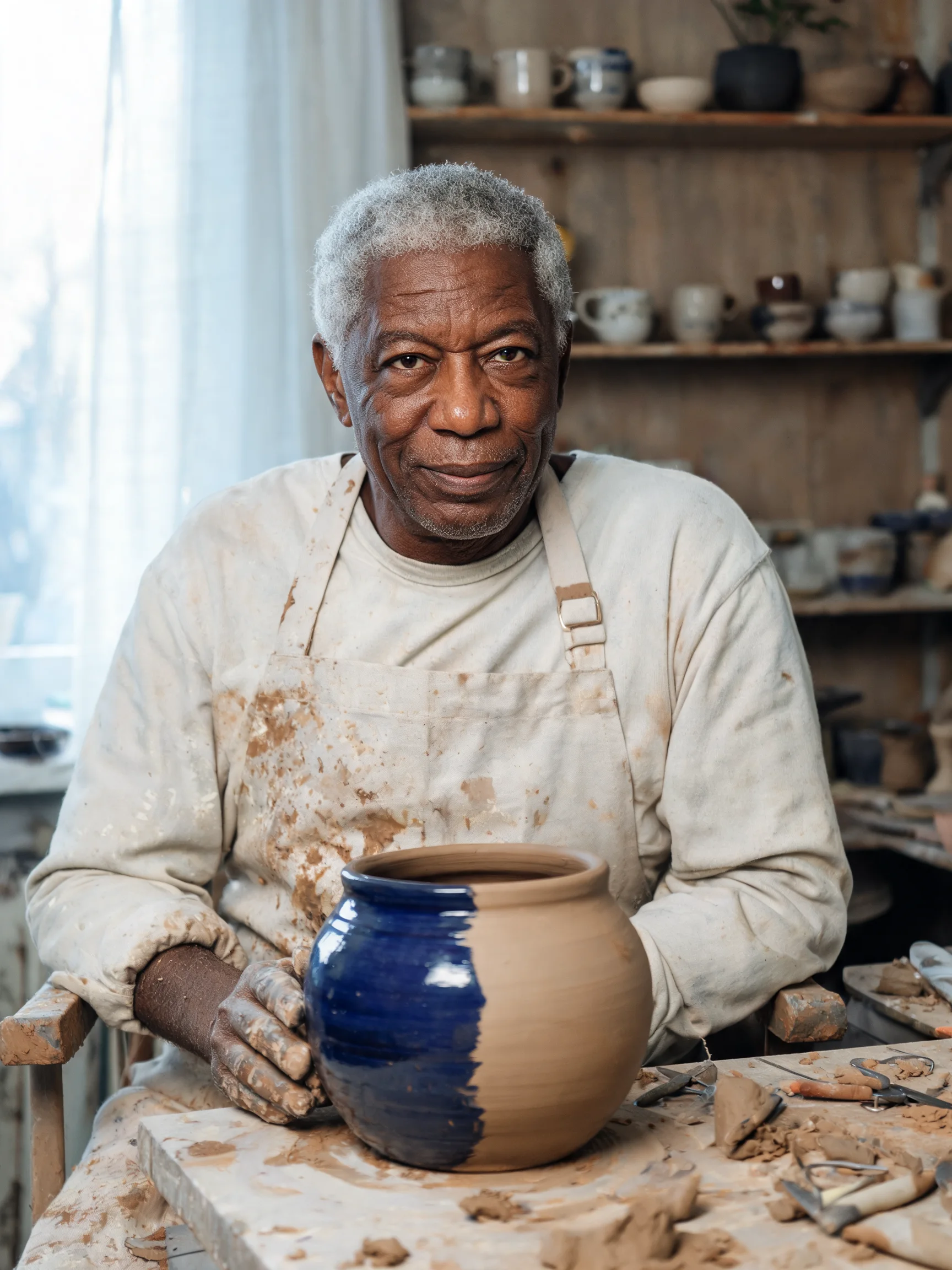
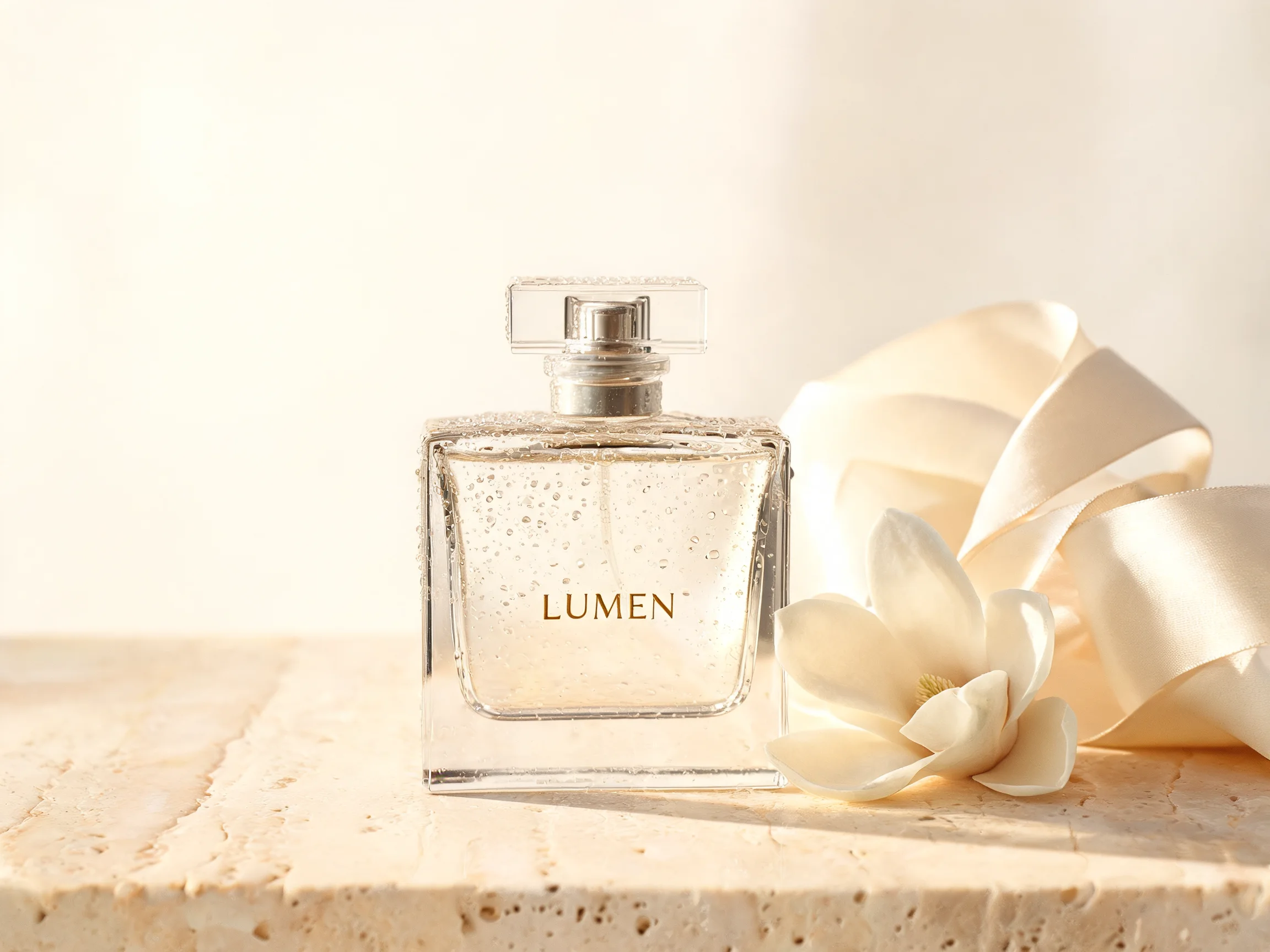
These unretouched model outputs span cinematic portraits, multi-person scenes, product photography, readable layouts, and imaginative environments.
“Photorealistic cinematic street portrait of a fictional young East Asian woman standing beneath a transparent umbrella after rain in a quiet city alley. Natural skin texture, loose dark hair, charcoal wool coat, reflected shop lights on wet pavement, soft mist, subtle 35mm film grain, realistic hands, restrained teal and amber night color, intimate documentary mood.”
“Editorial environmental portrait of two fictional adult sisters who run a neighborhood flower studio, standing together inside a sunlit greenhouse. One wears a linen apron and holds pruning shears, the other carries a loose bundle of garden roses. Distinct faces, natural skin tones and expressions, believable hands, soft morning backlight through leaves, tactile linen and glass textures, warm candid photography.”
“Detailed documentary portrait of a fictional older Black ceramic artist seated in a working studio beside a half-finished indigo glazed vessel. Expressive face, silver hair, clay dust on hands and apron, shelves of handmade pottery softly out of focus, north-facing window light, natural skin texture, quiet confidence, medium-format photography.”
“Premium studio product photograph for a fictional fragrance named ‘LUMEN’. A clear geometric perfume bottle with the word ‘LUMEN’ printed exactly once stands on pale travertine beside a folded translucent silk ribbon and a single white magnolia. Precise glass refraction, tiny condensation droplets, soft late-afternoon shadows, warm ivory and muted gold palette.”
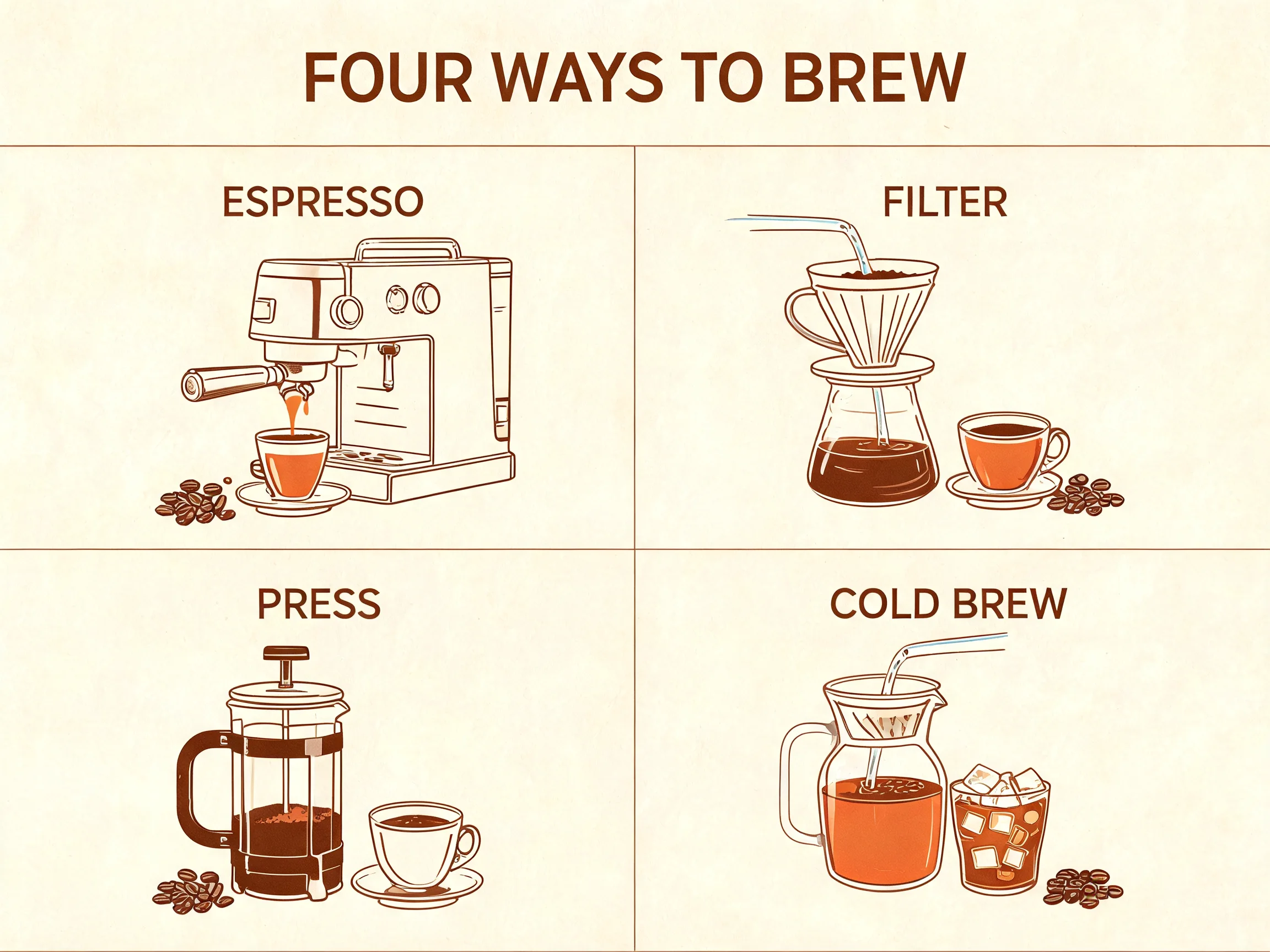
“Clean editorial coffee brewing guide titled exactly ‘FOUR WAYS TO BREW’. Arrange four clearly separated illustrated stations in a balanced two-by-two grid. Label them exactly ‘ESPRESSO’, ‘FILTER’, ‘PRESS’, and ‘COLD BREW’, with no other words. Warm cream paper, espresso brown linework, muted terracotta accents, crisp readable typography.”
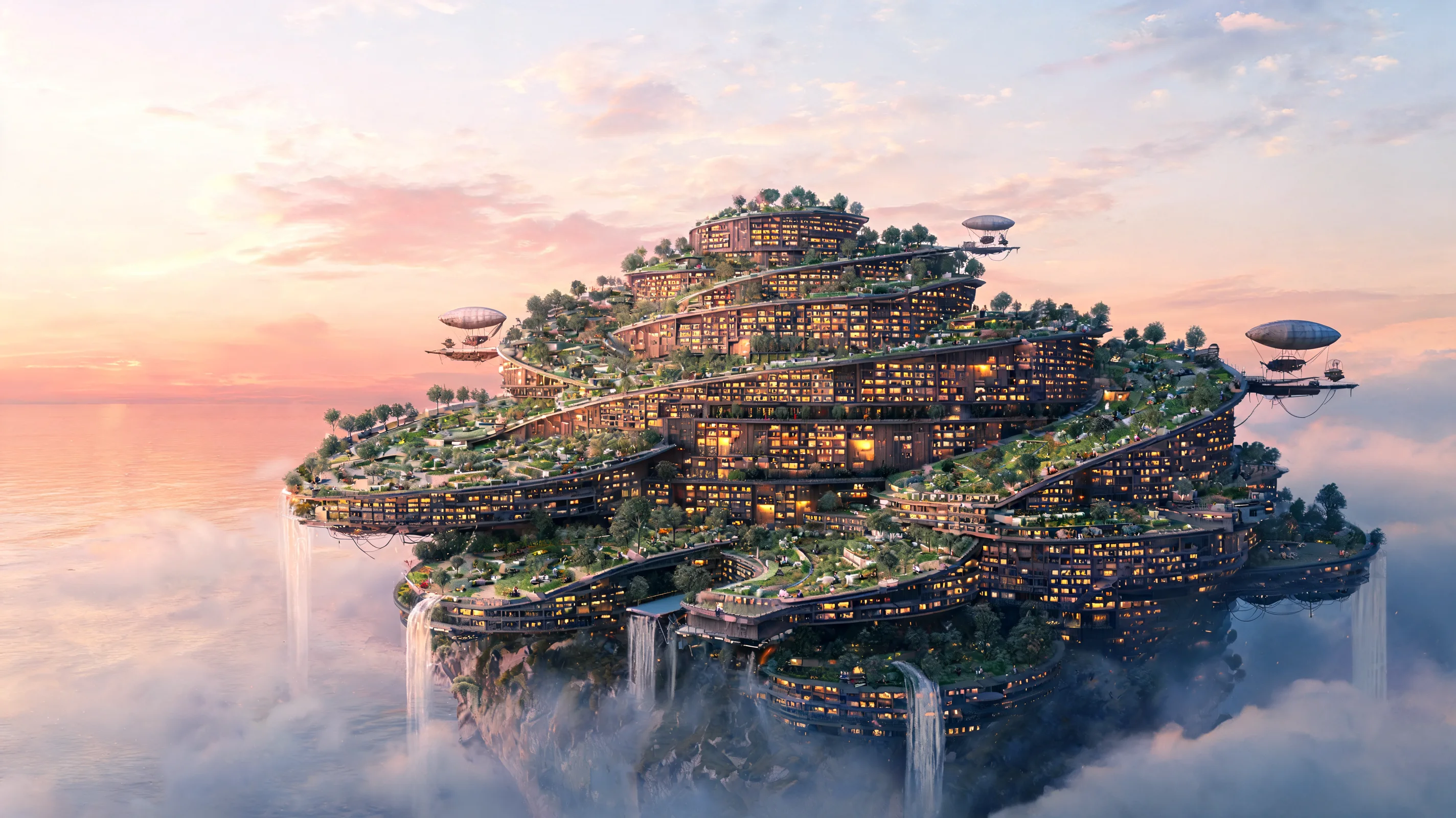
“Wide cinematic concept art of an immense floating public library drifting above a calm sea at dawn. Terraced reading gardens spiral around luminous timber halls, tiny airships dock at suspended platforms, waterfalls fall through clouds, hundreds of warm windows suggest inhabited scale. Coherent architecture, atmospheric depth, intricate but readable composition, painterly realism.”
Seedream 5.0 is a multimodal image generator and editor built to understand detailed instructions, visual references, spatial relationships, and design intent. Start from text or existing images, then create high-resolution visuals for both expressive and practical work.
Use one visual workflow for original generation, controlled editing, consistent subjects, polished layouts, and high-resolution delivery.
Combine people, actions, materials, environments, camera choices, and layout instructions in one coherent request.
Upload an image, state the exact change, and describe which identity, framing, lighting, or background details must remain intact.
Bring together separate references for a person, product, pose, palette, outfit, or environment in a unified result.
Create expressive single or multi-person scenes while keeping faces, clothing, materials, and surrounding context visually coherent.
Generate posters, simple guides, campaign visuals, and editorial compositions with clearer hierarchy and readable short text.
Move from grounded photography to product imagery, illustrated guides, cinematic worlds, and stylized concept art without changing tools.
Choose a starting point, write a focused brief, set the output, and refine the result without leaving the generator.
Use Text to Image for a new visual or Image to Image when an existing picture should guide the result.
Write the subject, composition, lighting, style, required text, and anything the model should preserve or avoid.
Upload reference images when needed, then select an aspect ratio, 2K or 3K resolution, and PNG or JPEG output.
Review faces, hands, text, materials, and composition, then make one focused prompt change for the next version.
Create assets for personal ideas, client briefs, content production, product presentation, visual communication, and concept development.
Develop editorial, documentary, lifestyle, and cinematic portraits with controlled lighting, environment, wardrobe, and mood.
Create polished product scenes, campaign concepts, material studies, and catalog-ready compositions around a clear art direction.
Organize a headline, short labels, illustrations, and supporting elements into a readable visual hierarchy.
Explore characters, environments, architecture, story worlds, and visual styles from a detailed written brief.
Change objects, clothing, colors, materials, backgrounds, or styling while asking the model to preserve successful details.
Compose two or more people in a shared environment with clearer relationships, poses, expressions, and scene context.
Practical answers about creation modes, references, output settings, prompts, image text, and refining generated results.
Seedream 5.0 is a multimodal AI image model for generating new visuals from text and editing existing images with natural-language instructions and visual references.
Yes. The generator at the top of this page lets you write a prompt, upload optional references, choose output settings, and generate online.
Yes. Choose Image to Image, upload one or more source images, and state both the requested change and the details that should remain unchanged.
You can upload as many as 14 reference images. Give each one a clear purpose, such as identity, outfit, product, pose, style, or setting.
Choose 2K or 3K output with square, portrait, landscape, 3:2, 2:3, 21:9, or automatic aspect ratios. PNG and JPEG are supported.
Write a natural brief that names the subject, action, setting, composition, materials, lighting, and style. Put required image text in quotation marks.
It can create detailed single-person and multi-person portraits. Describe age, expression, wardrobe, environment, lens, light, and natural skin texture for more intentional results.
The generator displays the current credit total before submission, so you can confirm the cost after choosing your settings.
Start with a prompt, add references when they help, and turn your next visual idea into a high-resolution image.