
A Seedance 2.5 home-video prompt needs more than the word “retro.” The early-2000s look combines ordinary events, a believable person holding the camera, imperfect framing, and sound that belongs to the room or street. The aim is a candid moment someone might have recorded, rather than a polished commercial with a nostalgic filter.
Recent creator posts offer concrete examples of that approach. This article explains their prompt choices and supplies an original short experiment. The example below has not been tested by Seeora; treat it as a starting brief to evaluate, not a reproducible recipe with guaranteed results.
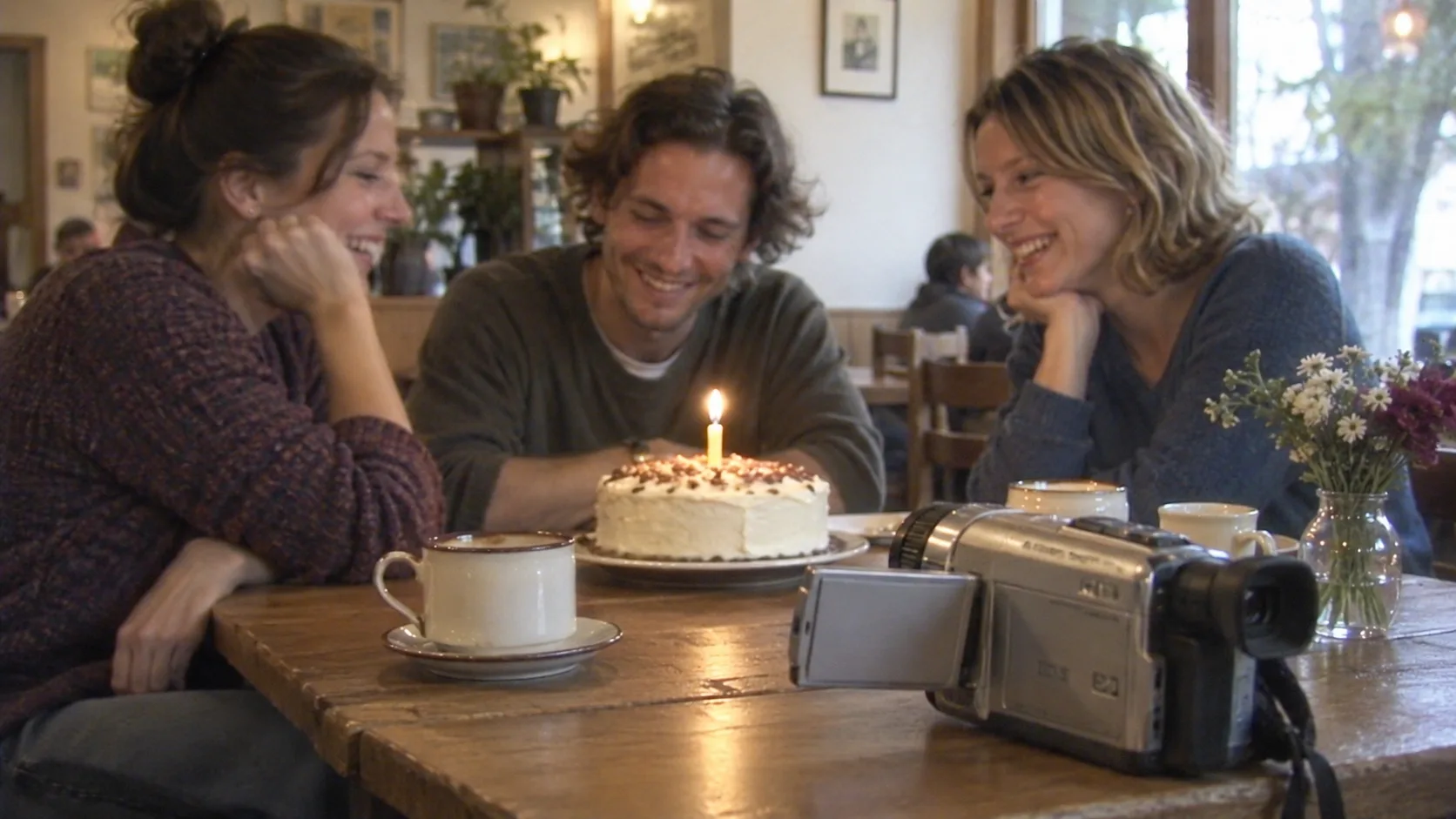
AI-generated concept illustration made with Codex imagegen, not a Seedance output or a frame from the creators' videos.
What the public examples establish
On October 4, 2026, creator fuji_ai_ shared a video described as a 30-second Seedance 2.5 home-video scene, with generated people, surroundings, and audio. The creator's first prompt reply anchors the subject to a reference image and gives an ordered neighborhood outing. The continuation requests handheld movement, imperfect focus and exposure, soft detail, small zooms, and location sounds instead of music or narration.
Another October 4 prompt by iamahmedfaraz66 breaks an apartment scene into short action beats: opening a window, noticing a feather, catching it, and letting it drift away. It also specifies the nearby camera operator and restrained consumer-camera texture.
These are creator-published examples, not official feature announcements or controlled tests. A 30-second request in someone else's prompt does not establish the duration available in your generator. Use the actual duration and reference controls your selected provider exposes; writing a longer duration or a resolution into prose does not change those controls.
Build the look from four decisions
Choose an ordinary event. A friend lighting a birthday candle, someone opening a window, or a person paying for a newspaper gives the camera a reason to be there. Start with one event that fits the selected clip length. A shopping trip with several locations requires more continuity than a single table scene.
Place the camera operator. Decide who is recording and where they stand. “A friend records from the opposite side of the table” is more useful than requesting handheld movement in isolation. Describe a small adjustment when the subject moves, rather than an orbit, crane shot, and dramatic zoom in the same clip.
Pick period details. Describe the clothes, furniture, packaging, and visible devices. A period instruction can conflict with an unnoticed smartphone on the table. If you use a starting image, review that image for modern objects before asking the model to animate it. Keep readable signage out of the first experiment unless it matters to the story.
Give the sound a location. Name a few audible events: a chair moving, a cup touching a saucer, and quiet room chatter. If you want an unscored recording, explicitly exclude background music and narration. Review the generated track separately; a sound instruction is a request, not evidence that the final audio follows it.
An original short prompt to adapt
Select a short duration supported by your generator. Enable audio if that control exists and you want generated sound. Use your own reference image where supported, adjusting the reference wording to the interface. This example uses a different setting and action from the source posts.
A candid early-2000s home-video recording inside a small neighborhood cafe. Three adult friends sit around a wooden table with one small birthday cake. A fourth friend records from the opposite side of the table using a consumer DV camcorder. One seated friend lights a single candle, the others smile, and the birthday guest leans forward to blow it out. Keep the same people, clothing, cake, and table throughout. Modest period clothing, ceramic cups, simple wooden furniture, no smartphones or modern screens. Slight handheld sway and one gentle correction to keep the cake visible. Soft digital detail, a brief mild focus adjustment, natural window light, ordinary exposure, no glossy advertising look. Quiet room chatter, the lighter clicking, a small breath, and a soft laugh. No music, narration, subtitles, aggressive camera shake, scene changes, or repeated candle lighting.Avoid adding a second location until the single event works. Save the prompt, reference, duration, and audio settings with each attempt. Change one decision at a time so you can tell whether the revision helped.
Review motion and continuity before texture
Watch the entire clip, including the beginning and ending. A convincing still does not prove that hands, faces, or objects remain coherent during an action.
| Review question | Useful result | Revision to consider |
|---|---|---|
| Does the event read in order? | Candle is lit, then blown out | Remove competing actions |
| Is the camera understandable? | Small reframing keeps the event visible | Replace elaborate movement with one viewpoint |
| Do objects remain consistent? | One cake and candle throughout | Reduce props and specify continuity |
| Does the period remain believable? | Clothes and devices fit the brief | Correct the starting image or scene description |
| Does sound match the action? | Breath and laughter occur with the event | Simplify audio or edit the soundtrack afterward |
Keep imperfections restrained
If faces become unreadable, reduce shake and focus changes. If the result looks like an advertisement, remove cinematic lighting and elaborate camera language before adding more noise. If it resembles a damaged tape, remove VHS-style distortion from the brief: these source prompts emphasize consumer DV softness and digital texture.
Do not use blur to excuse broken anatomy or discontinuous objects. Choose an acceptable action first, then refine the recording style. For precise delivery, adjust texture and sound in an editor after selecting the usable clip. Explore the Seedance prompt library for broader examples, or read the Draft Mode explanation before budgeting preview attempts. The next useful step is one small everyday event, one understandable camera position, and a full-clip review.