
The Seedance 2.5 frame-break effect makes a subject appear to extend outside a central picture window and across the black bars surrounding it. A wing, hand, or flowing piece of fabric overlaps the border while the background stays inside. That contrast creates the impression that the subject is coming toward you through the screen.
This is a visual illusion that creators are exploring with prompts. It is not an announced Seedance editing mode, a stereoscopic video format, or a guarantee that a model will obey an exact border size. This article explains the composition, proposes an original experiment, and gives you a way to evaluate the result.
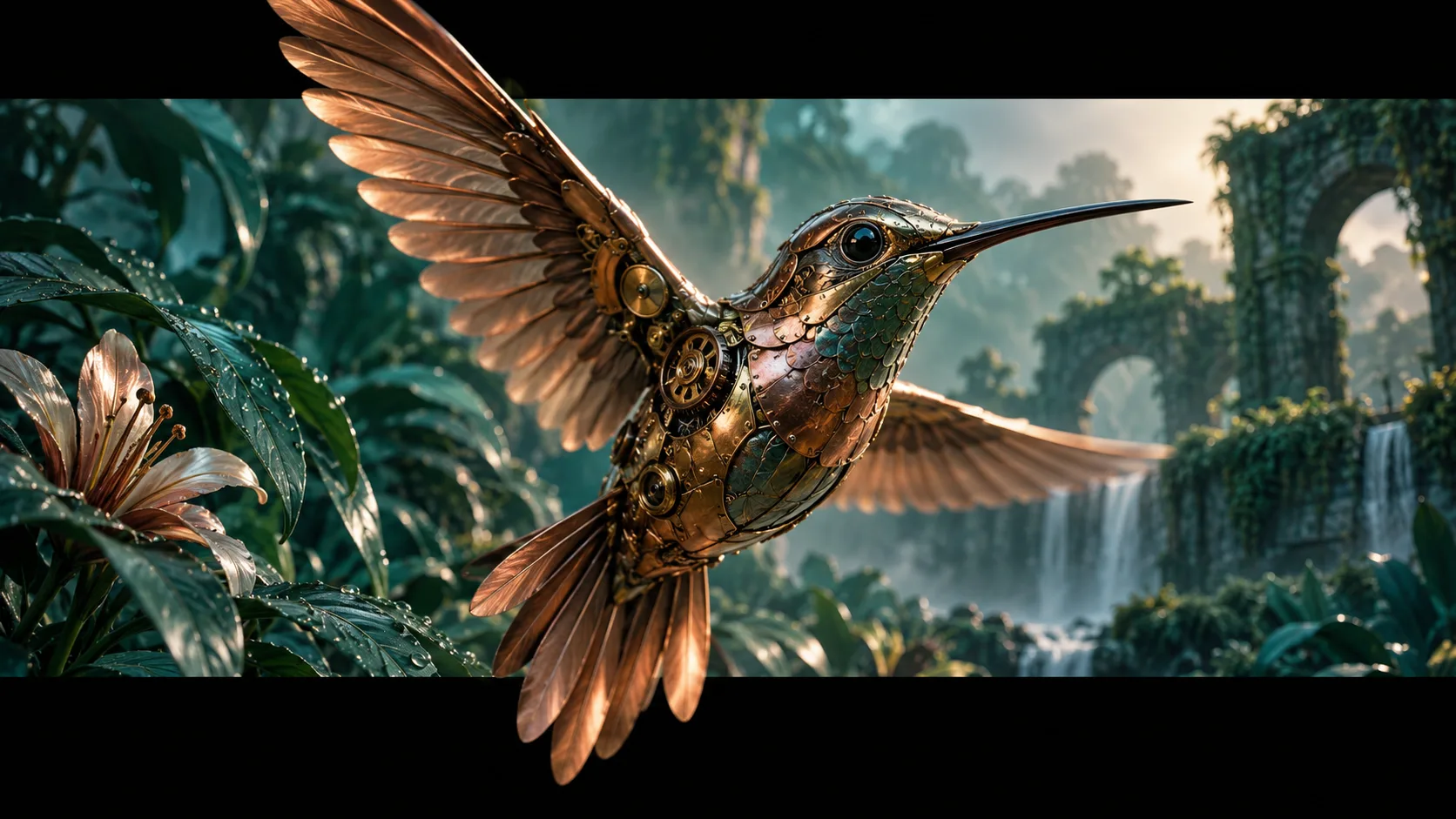
AI-generated concept illustration made with Codex imagegen. It is not a Seedance output or a screenshot; the still image illustrates the intended overlap.
What the creator actually reported
In an October 2, 2026 post, creator Kōda describes using Seedance 2.5 for this effect after earlier attempts with Seedance 2.0. The creator also reports that requested bar proportions vary between generations, camera motion can distort the bars, and stronger instructions to stabilize them can weaken the overlap.
The accompanying prompt reply separates the scene, the black borders, and the foreground subject, while favoring a stationary camera and movement through depth. These are one creator's demonstrated approach and reported limitations. They do not establish a controlled comparison between versions. We have not run a reproducibility test of the proposed example below.
Think in three visual layers
The useful starting point is a clear overlap order. The environment sits behind the letterbox bars, and the selected foreground part appears in front of them. If the bars cover everything, you get an ordinary letterboxed clip. If the entire background extends over the bars, the boundary loses its visual purpose.
Choose a subject with a recognizable outline. A mechanical bird with broad copper wings is easier to assess than a transparent glass object against a busy scene. Decide which part crosses which edge, and keep some uninterrupted black area beside that overlap. This makes the crossing visible instead of filling the whole border with moving material.
Treat the bars as part of the requested image composition. A player's fullscreen control or an aspect-ratio setting will not, by itself, create a foreground element over them. The final video canvas must contain both the central scene and the visible border areas.
An original prompt experiment
The following is an original editorial example using a different subject, rather than a copy of the creator's character prompt. Use a reference image you own if your chosen generator supports image references, and select duration and output dimensions through its actual controls. Adapt the reference wording to that interface.
A copper mechanical hummingbird hovers inside a teal botanical scene. Place broad, straight black bars along the top and bottom of the video canvas. Keep the garden behind those bars. The bird is the foreground subject: its nearest wing passes visibly in front of the upper black area, while its tail briefly crosses onto the lower black area. Preserve a continuous outline where each part crosses the scene boundary. Leave black visible beside the bird. Use a stationary camera. The bird approaches slightly, opens its wings, then retreats into the central garden scene. Keep the bars in the same screen position. One bird, one readable movement, no lettering or scene cuts.Start with that single action. Once you get a readable crossing, experiment with a more elaborate subject or motion. Changing the scene, camera, lighting, costume, and border instruction together makes it difficult to understand which change helped.
Review the whole clip, not one still
A successful frame can hide problems elsewhere in the sequence. Watch the beginning, the moment of overlap, and the retreat separately. Use the same review questions for each attempt:
| Check | A useful result | A reason to revise |
|---|---|---|
| Border stability | Straight bars stay in screen position | Bars bend, slide, or turn into scene objects |
| Foreground crossing | A recognizable part covers black space | The subject stops at the edge or disappears behind it |
| Scene containment | The environment remains inside the window | Background foliage fills the black area |
| Subject continuity | Wings and tail remain attached | Extra limbs, detached pieces, or changing silhouettes |
| Depth cue | Approach and retreat read clearly | The whole scene merely enlarges |
Save the prompt and settings with the attempt. Compare each clip against the intended crossing, rather than choosing whichever still looks most dramatic. You can reject a beautiful clip if its bars move with the subject.
Troubleshooting without chasing endless retries
If the bars drift, simplify the camera instruction first. The source creator specifically reports camera movement as a difficulty. A stationary view lets subject motion provide the depth cue, though it still does not guarantee stable borders.
If the bird remains behind the bars, clarify which visible part must cover black space and remove unrelated actions. If the entire screen fills with foreground material, reduce the approach and keep more of the scene boundary visible. These are experiment suggestions, not verified fixes.
Exact bar proportions may still be inconsistent. For a deliverable requiring precise border geometry, consider constructing the visual layers in a video editor: place the scene beneath a fixed border layer, then place an isolated foreground subject above it. That requires suitable source footage and a clean mask; simply adding black bars over a finished clip will hide the subject too.
Set a retry budget before experimenting. If your next attempt changes nothing specific, pause and rewrite the visual goal. The Seedance prompt library offers broader camera and scene examples, while the Draft Mode explanation discusses evaluating ideas before final delivery. Neither promises reliable frame-break generation. Your next step is one short, controlled overlap experiment and a full-clip review.