
A Seedance miniature-person prompt needs a clear relationship between a tiny character and an ordinary object. A mug becomes architecture; a spoon becomes a bridge. The useful instruction is what the character touches, where their feet land, and which familiar object lets the viewer understand their size.
Two public creator examples show how this idea becomes a sequence. This article explains their prompt structure and offers an original, smaller planning exercise. Seeora has not reproduced these workflows or measured their success rate.
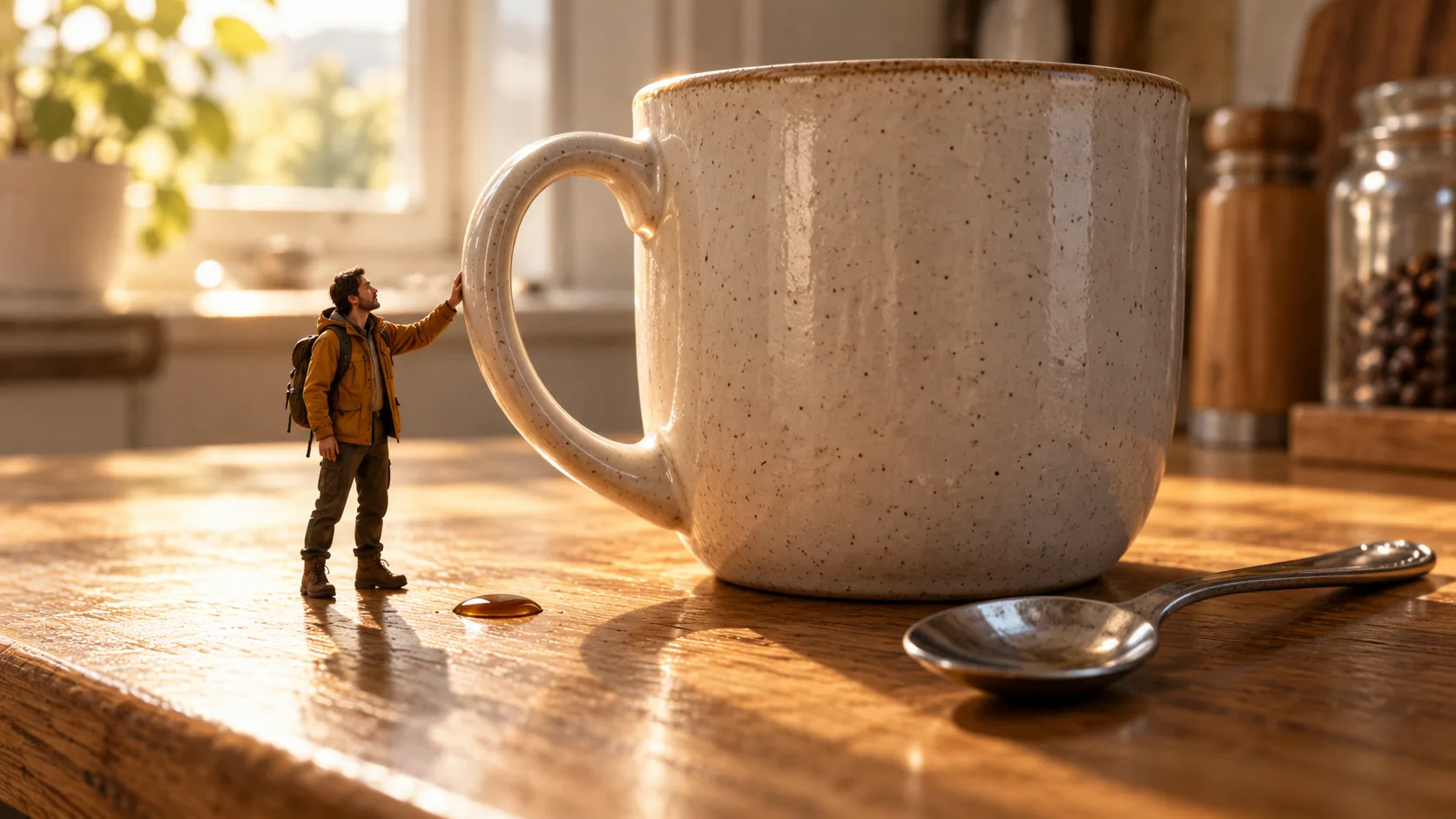
AI-generated concept illustration made with Codex imagegen; not a Seedance output or a frame from either creator's video.
What the creator examples establish
In an October 19, 2026 post, Raj attributes a miniature bathroom adventure to Seedance 2.5 on Higgsfield and shares a detailed prompt. It defines an adult character at approximately one-fifth human scale, keeps clothing and proportions consistent, and turns water, soap, a bottle, and a drain into successive obstacles. The prompt also separates scene sequence, camera treatment, and sound design.
An earlier October 2 example by Sarmad Tahir attributes a clockwork adventure to Seedance 2.5 on Lovart. That brief combines a hand-drawn explorer with a realistic workshop, using gears, springs, and a pocket watch as obstacles. It explicitly asks for consistent character design and environment scale.
These are creator-reported examples with published prompts, not official feature announcements. Their requests for thirty-second sequences or high-resolution imagery do not establish the duration, export resolution, or input controls available in your service. Check the actual generation settings before adapting either structure.
Choose a scale anchor before adding action
Write the size relationship in ordinary visual terms. For an original kitchen-counter scene, the explorer might be roughly half the height of a familiar ceramic mug. Keep the mug, spoon, and counter at their ordinary sizes. This gives you a reference that remains meaningful when the camera moves closer.
A numerical scale can supplement that description, but it does not guarantee consistent geometry. Avoid calling a person tiny in one paragraph and asking them to hold a full-size mug normally in the next. Decide whether an object is full-size scenery or a miniature prop belonging to the character.
Keep one anchor visible in the opening shot and again after a cut. A close-up of a face against an abstract blurred background can hide the miniature premise. A close-up that includes the mug handle and the character's hand preserves useful context.
Plan one contact event at a time
The public examples contain many obstacles. For a first experiment, reduce the scene to an approach, one interaction, and a reaction. Here is an original three-shot plan:
| Shot | Visible event | Continuity question |
|---|---|---|
| Establish | Explorer approaches a stationary mug | Are the person and mug clearly different sizes? |
| Contact | Explorer places one hand against its handle | Does the hand meet the handle without passing through it? |
| Reaction | Explorer looks up and steps back | Do the mug, spoon, and character keep their positions and sizes? |
Allocate the shots to the durations your service supports. If one generation compresses the interaction or skips the contact, try individual clips and assemble the sequence in an editor. That is an editorial fallback, not a proven model fix. Keep the accepted character reference and environment description with each shot.
Adapt a short miniature-person prompt
The following brief is original. Use supported reference controls for appearance when available; the wording does not activate a special miniature mode.
An original tiny adult explorer in an ochre jacket, dark trousers, and boots stands on a wooden kitchen counter. The explorer is about half the height of one ordinary ceramic mug. A full-size teaspoon lies flat beside the mug. Keep these size relationships and object positions consistent.
Begin with a low, wide view showing the whole explorer, mug, and spoon. The explorer walks toward the stationary mug, stops with both feet on the counter, and places one hand against the outside of its handle. Hold a readable view of the contact. The explorer looks up, releases the handle, and steps backward in surprise.
Use warm window light and a simple camera move. Keep the character and nearby handle clear enough to judge the interaction. Include small footsteps and quiet kitchen ambience. No dialogue, captions, or music. Keep the mug still and the counter layout unchanged.
Set aspect ratio, duration, and output resolution in the interface. Asking for a cinematic look in the prompt is separate from selecting an export setting. Save the exact brief, references, and settings so a revision has something concrete to compare against.
Add camera movement and sound deliberately
Both public prompts use macro framing and moving cameras. For your first version, choose whether the shot primarily explains size or follows action. A low establishing view can explain the scale; a fast pan can follow a dash, but may conceal the contact you need to review.
Depth of field also serves a purpose. Blurring distant scenery can isolate a tiny character, while blurring the hand and handle makes the interaction harder to assess. Ask for readable contact rather than adding increasingly strong bokeh instructions.
Plan sound against events: a footstep, a touch, a reaction. The bathroom creator requests music and exaggerated effects; your quiet counter scene can use only ambience. Review the actual output, since an instruction is not proof that unwanted music will be absent. For an existing clip with an unsuitable score, see the background-music removal explanation.
Review scale, contact, and continuity separately
Watch the full clip, then inspect the approach, touch, release, and any cut. Record a specific observation: the explorer grows beside the mug, a hand passes through ceramic, or the spoon changes position. An attractive still does not settle whether the complete action works.
Revise the relevant instruction or simplify that event before adding another obstacle. For multiple shots, the character and storyboard planning article explains how to separate appearance from staging. For physical behavior, the physics benchmark explanation distinguishes visual continuity from accurate motion.
Start with one familiar object and one clear touch. Once that interaction reads well in your own result, expand the sequence while keeping the same scale anchors and review notes.